Appearance
Python black 代码格式化
在 Mac 上安装 Black
sh
brew install blackBlack on selection
Pycharm + Black 通过 External Tools 仅格式化选中的代码
black_selection.sh
bash
#!/usr/bin/env bash

set -x

black=$1
input_file=$2
start_line=$3
end_line=$4

# Read selected lines and write to tmpfile
selection=$(sed -n "$start_line, $end_line p; $(($end_line+1)) q" < $input_file)
tmpfile=$(mktemp)
echo "$selection" > "$tmpfile"

# Apply Black formatting to tmpfile
$black $tmpfile

# Delete original lines from file
sed -i "" "$start_line,$end_line d" $input_file

# And insert newly formatted lines
sed -i "" "$(($start_line-1)) r $tmpfile" $input_file
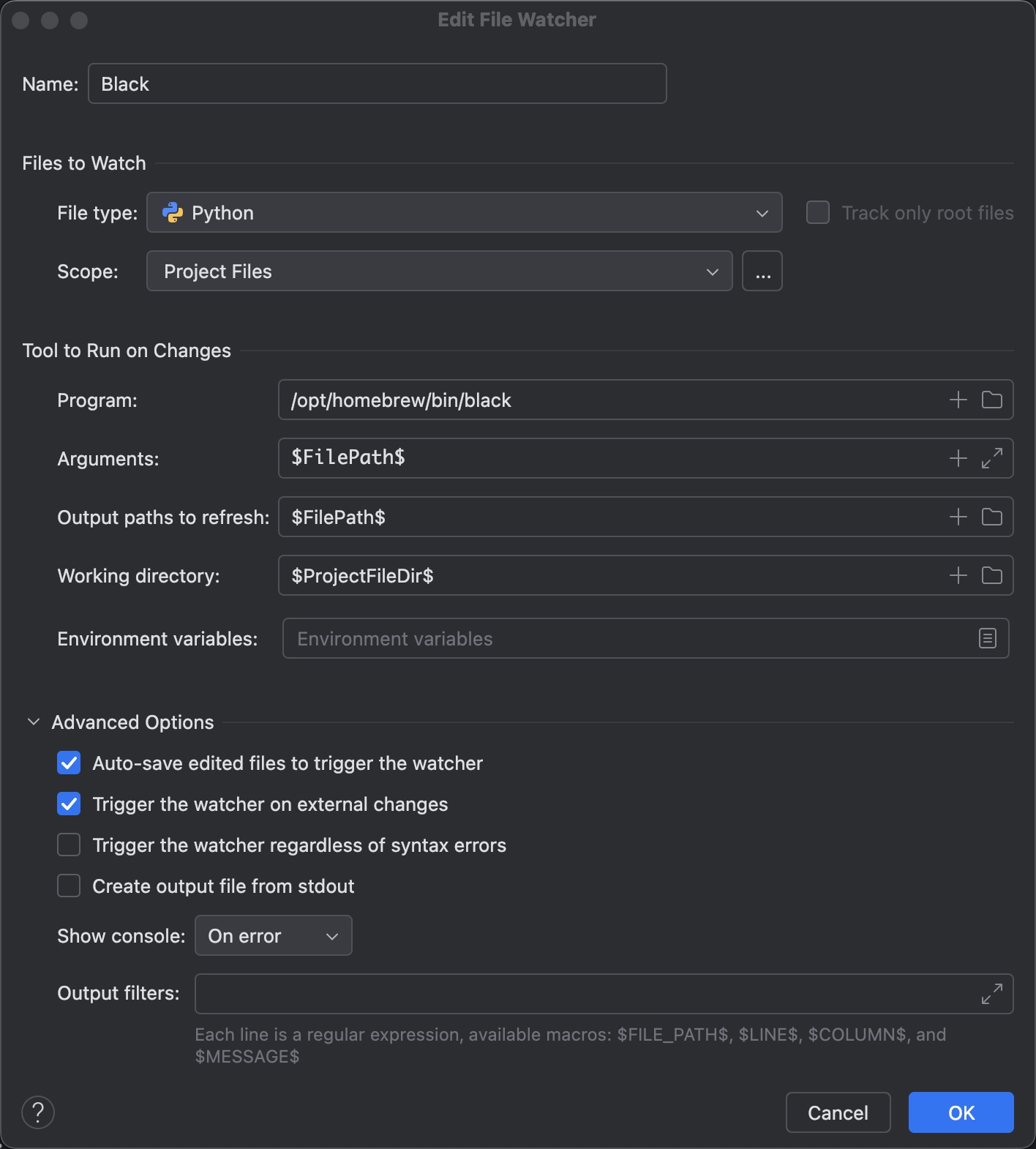
Pycharm 设置 Black 的 File Watchers
Pycharm + Black 自动保存格式 File Watchers
Name: Black

File type: Python

Program: /opt/homebrew/bin/black

Arguments: $FilePath$

Output paths to refresh: $FilePath$

Working directory: $ProjectFileDir$